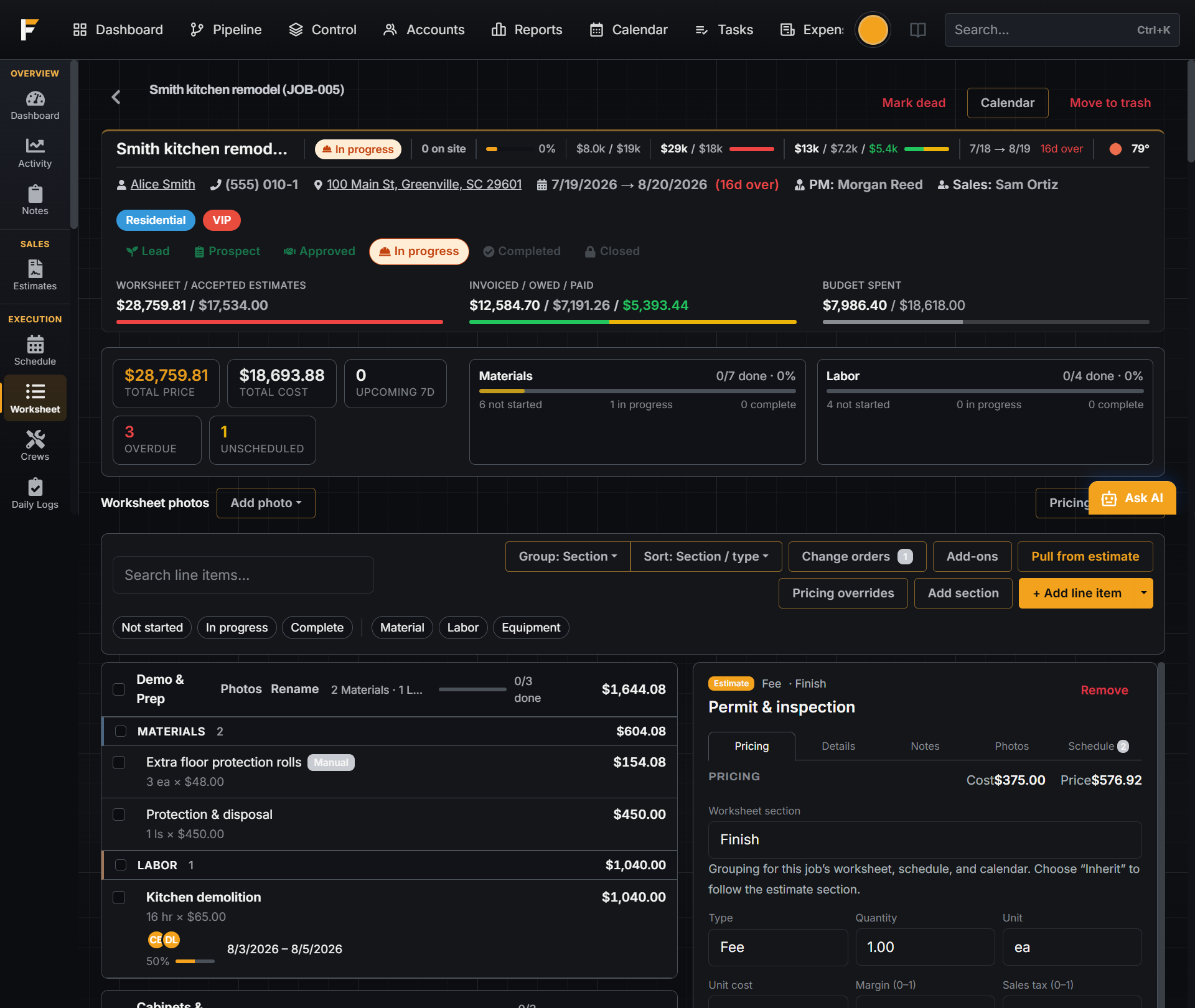
Worksheet is the work plan, not a status report
Each line carries status, crew, dates, and cost, and it is the same list you pulled the accepted estimate into. Mark a material Ordered and FloBuildr can open the purchase order; mark it Delivered and the receipt logs without a second screen.
Purchase orders and receipts tied to the line that needed them
Order materials straight from the worksheet and track delivery against the date the crew actually needs them on site. Attach receipts as they come in, and committed and spent cost update the job automatically, no shoebox of paper at month end.

A schedule on every job, not a whiteboard in the office
Lay out labor, materials, and milestones against real dates, and let the crew see exactly what's expected and when. Slippage on one line is visible immediately instead of surfacing at the walkthrough.

One calendar across every job you are running
Job schedules publish to a company calendar filtered by tags, labor, materials, permits, and punch, so the office sees the whole week of work, not six browser tabs of separate jobs.

Permits and inspections that don't stall the crew
Track permit status and inspection dates on the job so the calendar and the crew both see what's blocking work before a truck shows up to a locked gate. Nothing about a permit lives only in someone's inbox.

Ordered means ordered, not a note to yourself
Mark worksheet materials Ordered and FloBuildr groups them by vendor and creates one purchase order per vendor. For a connected supplier you can submit the order through their API: FloBuildr re-prices the items at that branch immediately before it sends, so the cost on the job is what you are actually charged, then the supplier's order ID and status flow back as they process and ship.
Vendors who are not connected still get the purchase order by email. One job can carry several orders to several branches. If a line cannot be submitted, FloBuildr blocks just that order and tells you why, and the rest still go.
Control: watch a group of jobs at once
Tag jobs by neighborhood, crew, or region and open Control. You get a live board: who is on site, jobs at risk, and rolled-up budget, spent, and billed. Flip to Finances on the same board to see invoices, payments, receipts, subcontractor bills, and purchase orders for that group.